Google Just Rebuilt Its Search Box Around AI
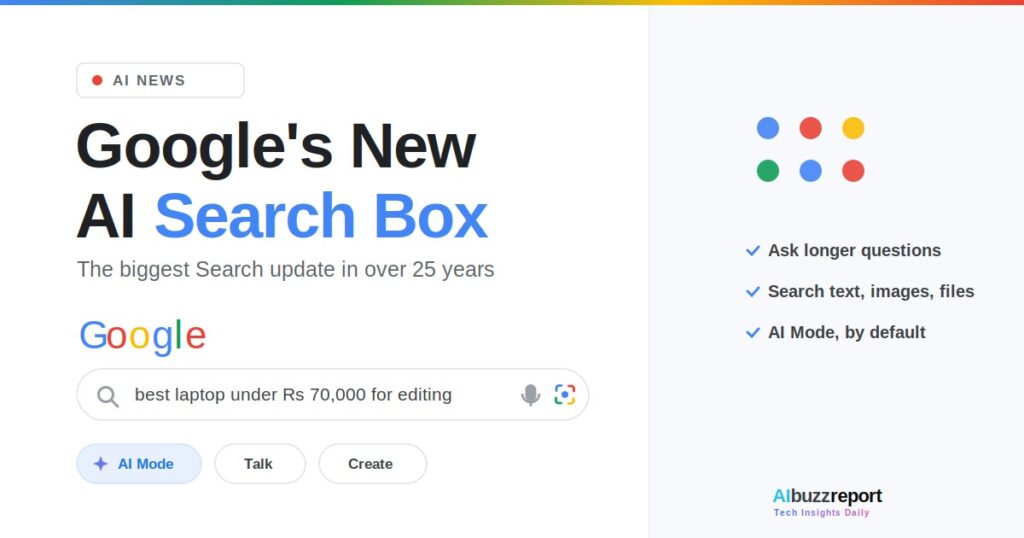
Google announced the biggest upgrade to its Search box in over 25 years at I/O 2026 on May 19, replacing the keyword field with an AI-powered “intelligent Search box.” The change matters because the search box is the single most-used input on the internet, and Google just rebuilt how it works. This article explains exactly what changed, how the new box works, and what is different for you.
Here is what this article covers:
- What Google changed in the Search box
- How the new intelligent Search box actually works
- What genuinely changed for you in everyday searching
- Whether AI answers are replacing normal results, and what it means in India
The clearest place to start is the change itself: what Google swapped out, and what it put in its place.
Table of Contents
What Google Changed in the Search Box
Google replaced its keyword search box with an AI-powered “intelligent Search box.” This is the core of the update, and everything else follows from it.
Instead of reducing a question to a few keywords, you can now type a full, multi-part question. According to Google’s I/O announcement, the new box lets you search using text, images, files, videos, and Chrome tabs, and it reasons across all of them in one query.
Google has confirmed you still get the usual range of Search results, not only an AI answer. The entry point changed; the results page did not disappear.
The redesigned box began rolling out on launch day, May 20, across desktop and mobile, in every country and language where AI Mode already works, India included.
What changed for everyday searches?
You no longer have to translate a real question into keywords. You can ask the full version, including follow-ups, in the same box.
The keyword search is not gone. It is simply no longer the default way Google expects most people to begin.
That is the what. The more useful question is the how, so here is exactly what the new box looks like and does when you open Search.
How the New Search Box Actually Works
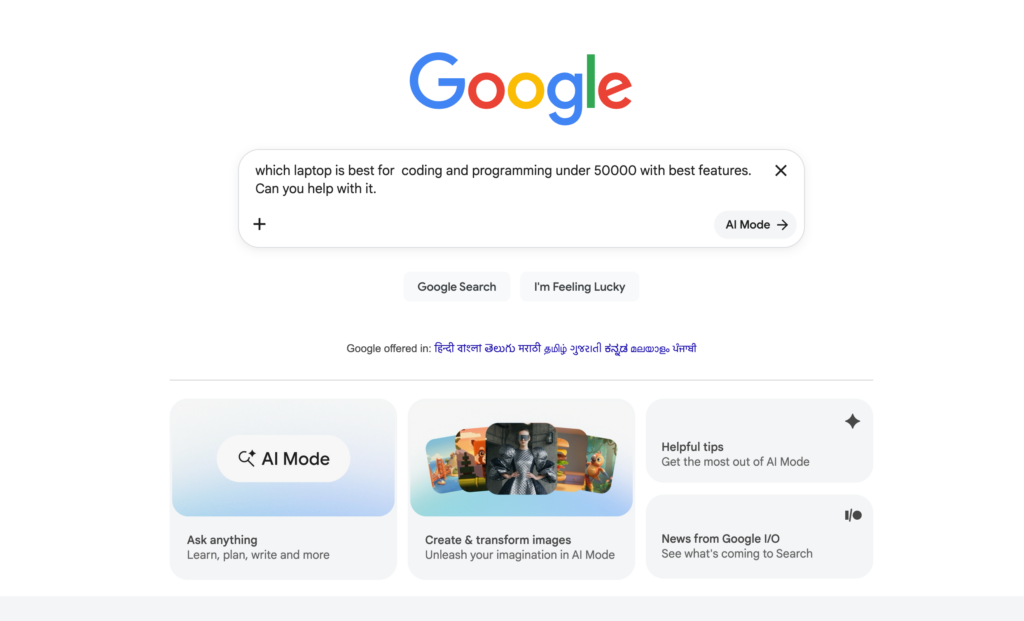
The new box changes three things you can see and use right away: the field itself, the suggestions, and a plus menu for uploads. Here is what each one does.
- First, the box grows as you type. Google designed it to expand dynamically so a long, conversational question has room, instead of cramming it into a single thin line.
- Second, the suggestions changed. As you type, Google shows AI-powered suggestions that try to anticipate your full intent, rather than the old autocomplete that just finished a phrase.
- Third, there are new shortcuts. Per 9to5Google’s hands-on coverage, the box now sits above three shortcuts: AI Mode, Talk for live voice search, and Create for image generation in Lens.
Where do I upload images or files?
A plus menu next to the box is the upload point. It lets you add images from your gallery or camera, and documents through Files, then ask a question about them in the same query.
So a single search can now combine a typed question, a photo, and a document at once. Google calls this searching across modalities. Behind the box, Google’s newest model handles reasoning across those mixed inputs, which is what makes a messy, real-world question workable.
Now that the mechanics are clear, the practical question is what all this actually changes for you day to day.
What Actually Changed for You as a Searcher
Here is the honest version, because some of this you could already do. Conversational questions and image search were not invented this week. What changed is where they live and how the box behaves.
Until now, AI search sat in a separate AI Mode tab you had to choose. As multiple outlets confirmed, AI Mode is now the default experience rather than an opt-in tab. The box you have always used is now the AI box. That is the real shift.
On top of that move, the box itself gained genuinely new behaviour. Here is the before-and-after, kept strictly to what this update changed:
| Before this update | After this update |
|---|---|
| To ask a long, conversational question, you opened the separate AI Mode tab | You type it in the normal search box, which is now AI by default |
| The search box was a fixed single line | It expands as you type, giving a multi-part question room |
| Autocomplete finished your phrase | AI suggestions try to anticipate the full intent behind your question |
| You searched an image in Lens, or text in the box, separately | You combine inputs in one query, including dragging in an open Chrome tab as context |
That last one, using a live browser tab as a search input, is the piece with no real precedent. It is the clearest sign the box is now a context-aware AI field, not a keyword line.
Google’s own data reflects the direction: since AI Mode launched, queries are getting longer, more often multimodal, and more likely to include follow-ups, and total Search queries hit an all-time high last quarter.
That last one, using a live browser tab as a search input, is the piece with no real precedent. It is the clearest sign the box is now a context-aware AI field, not a keyword line.
Google’s own data reflects the direction: since AI Mode launched, queries are getting longer, more often multimodal, and more likely to include follow-ups, and total Search queries hit an all-time high last quarter.
So what is genuinely new versus old?
A quick, honest split so you know what to credit to this update:
- New: AI search is now the default box, not a separate tab
- New: the box expands as you type for longer prompts
- New: intent-anticipating suggestions replace plain autocomplete
- New: Chrome tabs can be used as a search input
- Not new: asking full questions and uploading images, which AI Mode and Lens already allowed
What are the real strengths and trade-offs?
The honest picture has both. Here is what the new default box does well, and where the open questions sit, with the evidence behind each.
Strengths
- The AI experience is front and centre, with no separate tab to find first
- One box handles text, images, files, videos, and live Chrome tabs together
- AI-powered suggestions help you phrase questions you struggle to word
Trade-offs, with the evidence
The first is accuracy.
A New York Times investigation, using analysis from AI startup Oumi, found AI Overviews were correct about 91% of the time on a benchmark of verifiable questions, as reported by Search Engine Land. That sounds high, but at Google’s scale of trillions of searches, the remaining error rate still means a large volume of wrong answers reaches users.
The same analysis raised a subtler concern: a rising share of even correct answers were ungrounded, meaning the cited sources did not fully support the claim, according to Popular Science. The takeaway: treat AI answers as a strong starting point, not a final source, and verify anything that matters.
It is only fair to note Google’s response. Google disputed the study, arguing the benchmark itself contained errors and did not reflect real searches, and the company shows its own disclaimer that AI can make mistakes. So the exact error rate is contested, but the need to double-check is not.
The second is fewer clicks to websites.
An Ahrefs study of 300,000 keywords found that the presence of an AI Overview cut the click-through rate for the top organic result by 58% in its December 2025 data, up from a 34.5% drop measured earlier in 2025. Google has argued AI features increase overall clicks, so this is genuinely disputed, but independent data points to a real squeeze on publisher traffic.
That trade-off, fewer clicks reaching websites, raises the question on everyone’s mind. So are the traditional blue links finished?
Will AI Overviews Replace Search Results?
No. Google has confirmed that traditional Search results remain alongside AI answers. But AI Overviews now sit at the top of many results pages, which changes how attention flows.
Google reported that AI Overviews reaches over 2.5 billion monthly users, so the feature is now a default part of the experience for most people rather than an experiment.
There is also a new link between the two. Google is rolling out a seamless transition where you can ask a follow-up from an AI Overview and continue into a fuller AI conversation, with supporting links updating as you go.
What does this mean for site owners?
The concern for publishers is straightforward: when a usable answer appears at the top, some users stop before clicking through. Independent SEO analysts have flagged reduced click-through as a real effect, though the exact scale is debated and varies by query type.
The practical implication is that being referenced inside an AI answer is becoming as valuable as ranking in the traditional links. Google’s own optimisation guidance, released the same week, restated that strong content principles still apply, which it summarised as AI search still being SEO.
That picture is global. For one of Google’s biggest markets, a few details land differently, which is where India comes in.
What the Google AI Search Box Update Means for India
Because AI Mode already operates in India, the new Search box reaches Indian users on the same timeline as the rest of the world, not after a delay. The box rolled out in all countries and languages where AI Mode is available, India included.
This is a notable shift from past Google rollouts, where India often waited months for new Search features. This time, an Indian user opening Google sees the same intelligent Search box as a user in the US on day one.
What should Indian users and creators do?
For everyday users, the practical move is simply to start asking fuller questions, in natural language, and to try uploading an image or document instead of describing it.
For creators and businesses, the realistic action is to check how Search now answers the questions you rank for, and whether your site is cited. India is one of Google’s largest user bases, so original, clearly-structured, genuinely useful content has a real early advantage in getting surfaced.
Pull all of it together and the shape of the change becomes clear.
Try Out New Google Search Bar for Better Results
Google took the AI search that lived in a separate tab and made it the default box, for everyone at once, India included. The box also gained new behaviour: it expands, anticipates intent, and accepts more kinds of input than before.
Key takeaways:
- The intelligent Search box is now the default, rolling out worldwide, not a separate AI Mode tab
- You can search across text, images, files, videos, and Chrome tabs in one query
- The box expands as you type and suggests questions that anticipate your intent
- Traditional Search results remain, but AI Overviews now sit at the top for billions of users
- Asking questions and image search are not new; the default box and Chrome-tab input are what changed
To track every major AI search change as it lands, subscribe to the AiBuzzReport newsletter.
It is a redesigned Search input, announced at I/O 2026, that lets you ask long questions and search using text, images, files, videos, and Chrome tabs in a single query.
Google announced it at I/O 2026 on May 19, calling it the biggest Search box upgrade in over 25 years. The new box began rolling out on May 20 where AI Mode is available.
It expands as you type to fit longer, conversational questions, offers AI-powered suggestions that anticipate your intent, and includes a plus menu to upload images and documents to ask about directly.
Yes. The new intelligent Search box rolled out free in all countries and languages where AI Mode is available, which includes India.
No. Google has confirmed traditional results remain. AI Overviews now reach over 2.5 billion monthly users and sit at the top of many pages, and you can ask follow-ups that continue the conversation.

Stay Ahead of the AI Curve
Get the latest AI trends, SaaS insights, and tech news delivered to your inbox every week.
- Daily AI & SaaS news digest
- Exclusive founder insights
- Unsubscribe anytime
Tech Insights Daily
Free forever. No spam. Unsubscribe anytime.